
Doodle Photo Edit
AI prompt for ChatGPT ·
About this prompt
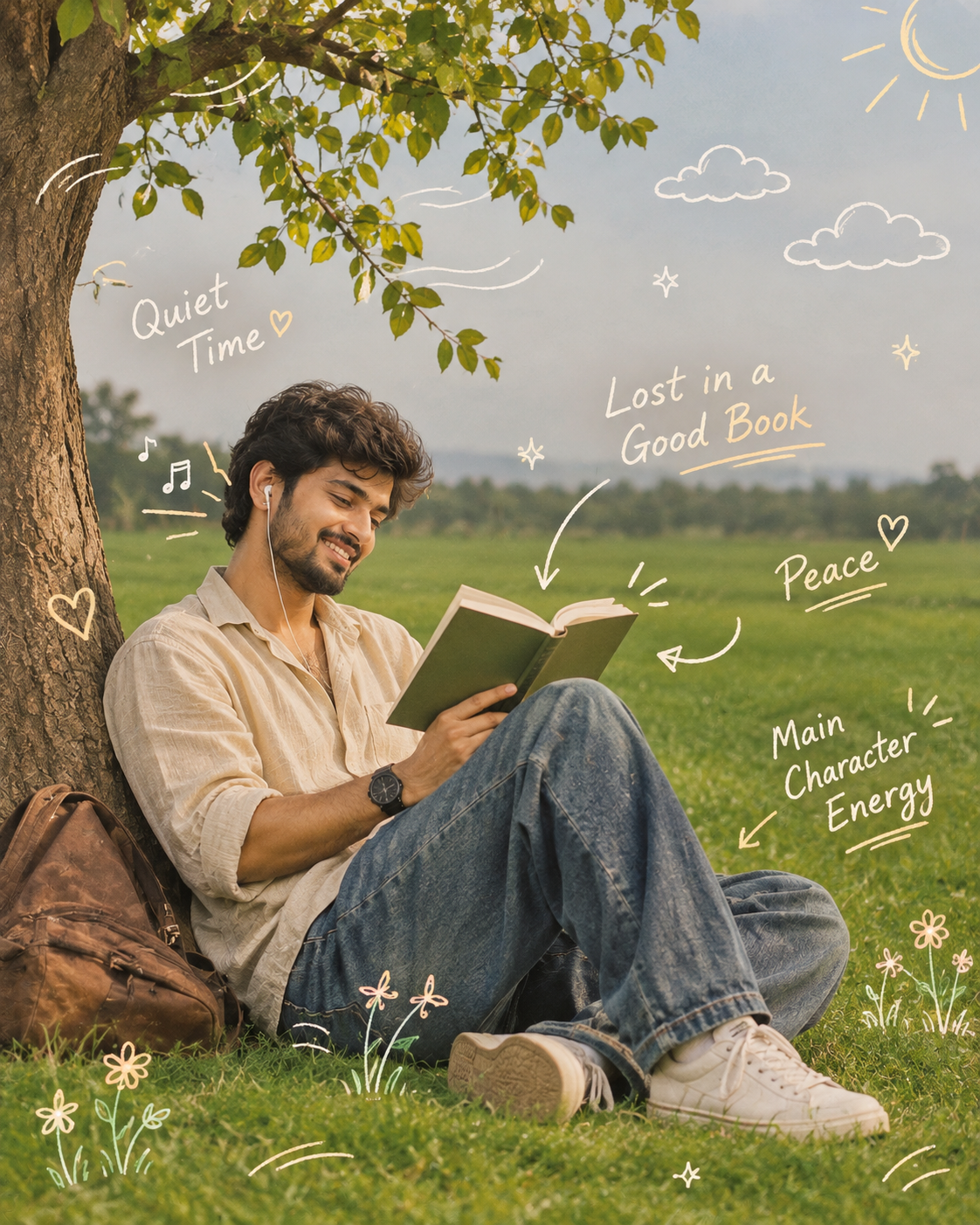
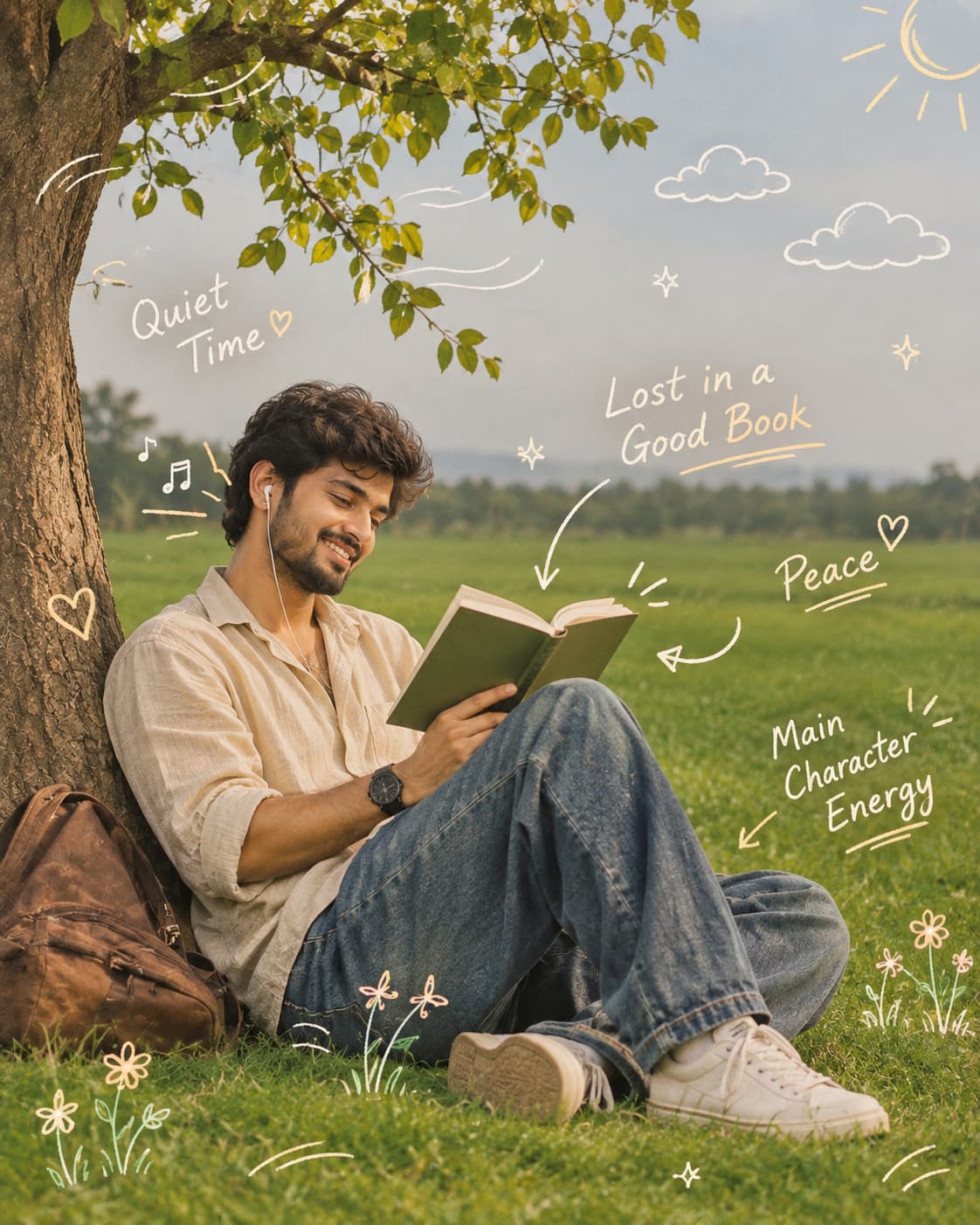
Create a doodle photo edit in ChatGPT with pastel sketches, stars, hearts, music notes and handwritten phrases around a man reading in a green field.
How to use this prompt
- Open ChatGPT on your phone or computer.
- Upload your photo showing a person sitting in an open green field.
- Copy the complete Doodle Photo Edit prompt from PromptZen.
- Paste the prompt into the ChatGPT message box.
- Ask ChatGPT to keep the original person, pose, book and landscape while adding the requested hand-drawn doodles.
- Generate the edited image. For an Instagram post, request a vertical 4:5 composition.
**Try:** Experiment with more tiny stars, pastel hearts or handwritten journal-style notes.
Customize Parameters
Fill in the fields below to customize your prompt
Live Compiled Prompt906 chars
Add hand-drawn white and pastel doodles around the man sitting alone in the open green field. Include sketchy cloud outlines, sparkles, stars, floating music notes near her earphones, small hearts, swirls, and gentle wind-motion lines around the tree branches. Draw playful arrows pointing toward the book with handwritten notes such as "Quiet Time," "Lost in a Good Book," "Peace," and "Main Character Energy" in a casual, messy notebook style. Add subtle doodled sun rays in the upper corner and tiny botanical sketches scattered through the grass. Keep the vast green landscape clean and uncluttered, using minimal artistic annotations that enhance the calm atmosphere rather than overpower it. Soft pastel white, cream, and light yellow doodles, cozy countryside mood, dreamy lifestyle photography, subtle film grain, high detail, aesthetic Instagram editorial style, peaceful and artistic composition.
Related Prompts
Discover more ChatGPT prompt templates with output previews and customizable fields.