

Indian Save The Date Card
AI prompt for ChatGPT ·
About this prompt
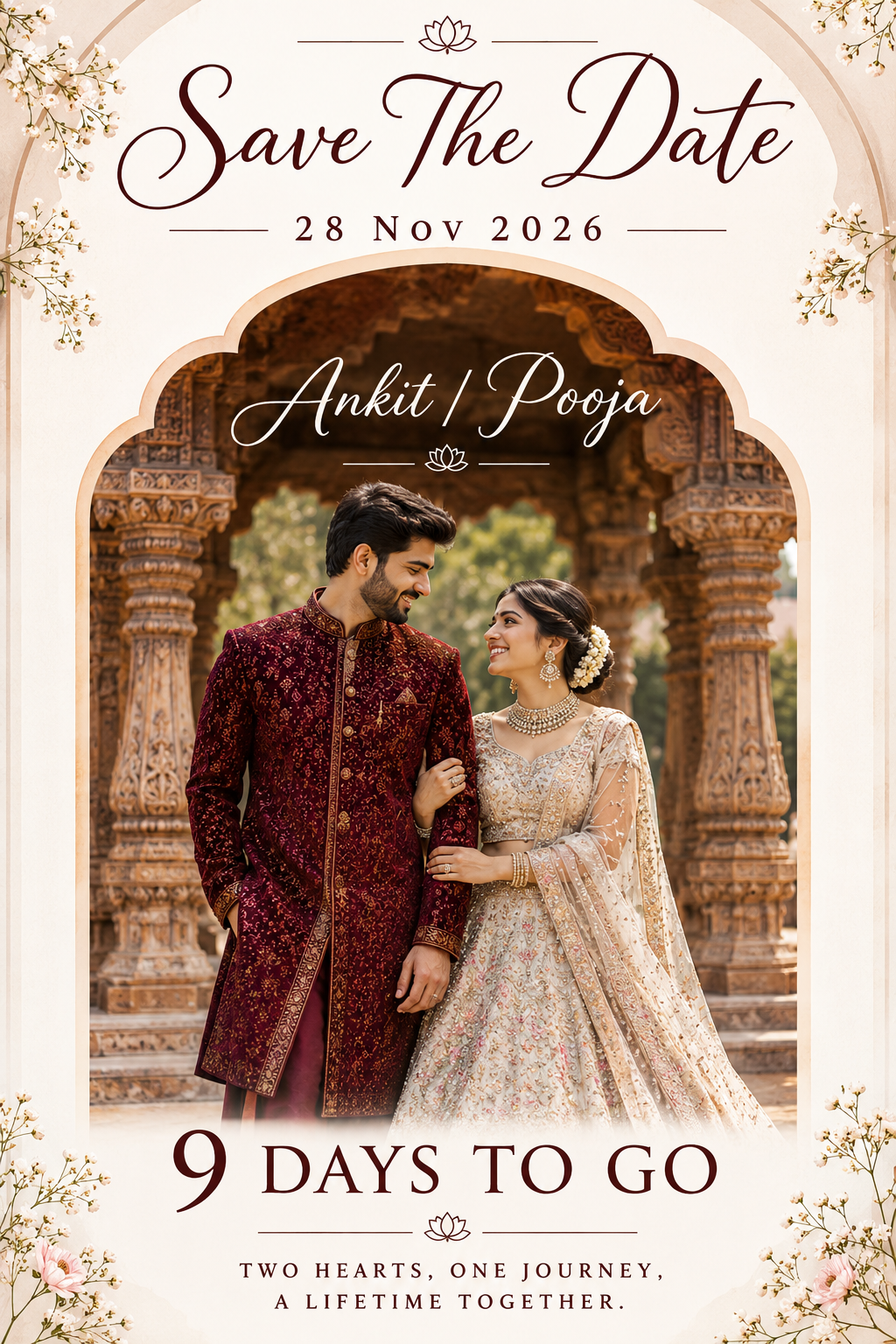
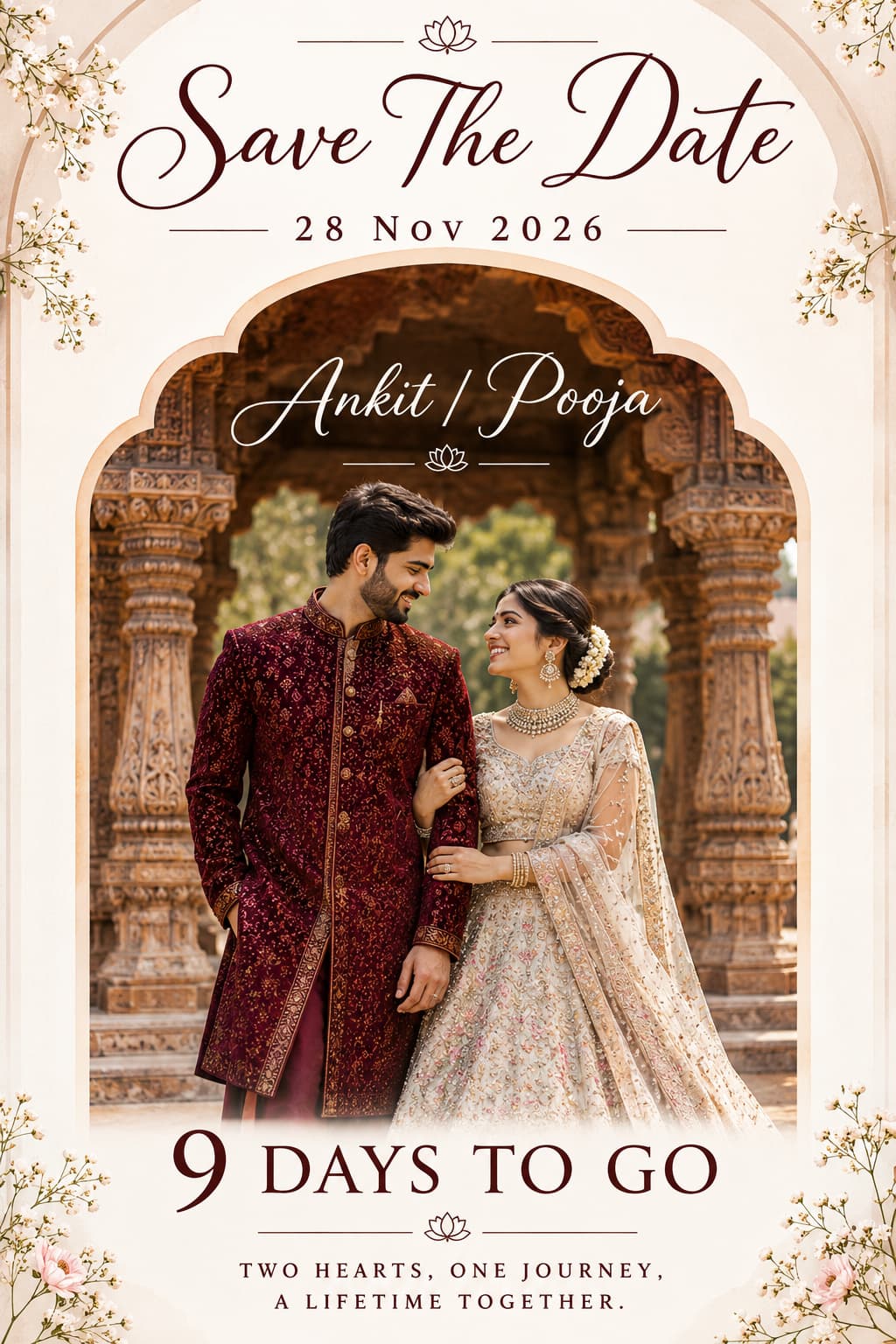
Indian wedding save the date prompt for ChatGPT, with a couple under carved wooden pillars. Change the names, date, countdown text and invitation details.
How to use this prompt
- Open ChatGPT and start a new conversation.
- Copy the complete prompt template from PromptZen and paste it into the ChatGPT message box.
- Replace "Ankit / Pooja" with your preferred bride and groom names.
- Change "28 Nov 2026" to your actual wedding date.
- Update "9 DAYS TO GO" with your preferred countdown text.
- Generate the image. Check the vertical arch design, traditional wedding outfits, carved wooden pillars, beige background and text placement.
Tip: Change the bride's lehenga colour, groom's sherwani colour or beige arch background to create different wedding invitation designs.
Customize Parameters
Fill in the fields below to customize your prompt
Live Compiled Prompt830 chars
An elegant Indian wedding "Save The Date" invitation card layout on a clean white background with soft pastel beige arch accents.
The central element is a vertical arch-framed photo featuring an Indian couple in traditional attire standing under intricate, hand-carved vintage wooden temple pillars. The woman is wearing a light pastel white embellished lehenga, and the man is wearing a deep maroon embroidered sherwani.
At the top, stylish calligraphy typography reads "Save The Date" with "28 Nov 2026" below it.
Inside the arch, white script text displays "Ankit / Pooja".
At the bottom, bold modern typography reads "9 DAYS TO GO", followed by a small signature logo and a romantic two-line quote in a clean sans-serif font.
High resolution, clean graphic layout, aesthetic wedding typography, 85mm portrait photography.
Related Prompts
Discover more ChatGPT prompt templates with output previews and customizable fields.