
Photo Journal Book Poster
AI prompt for ChatGPT ·
About this prompt
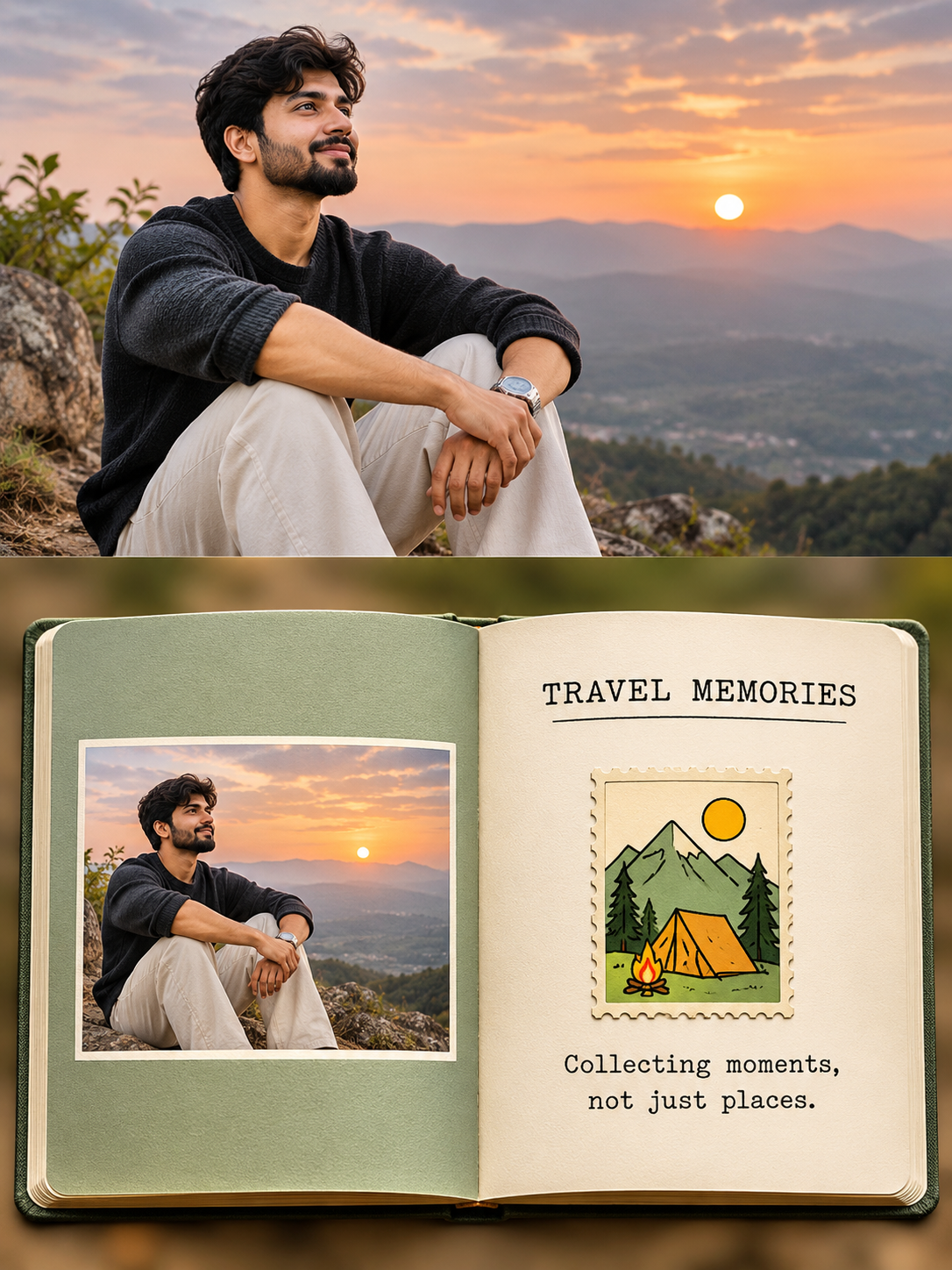
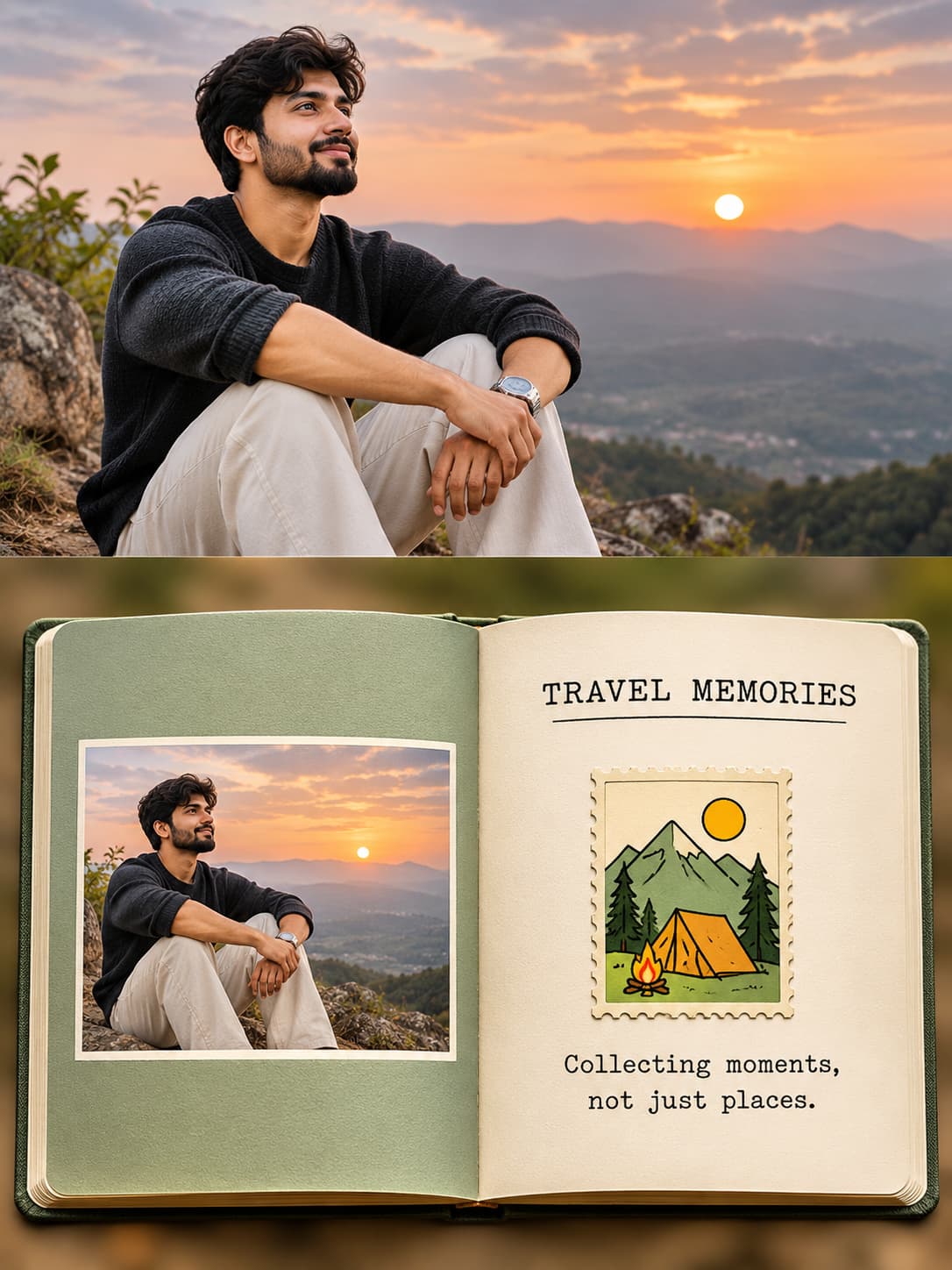
Photo journal prompt for ChatGPT turns one uploaded photo into a 3:4 open-book poster with a matching photo page, illustrated stamp and poetic caption.
How to use this prompt
- Open ChatGPT and start a new conversation.
- Upload ONE photo that you want to transform into an open-book journal poster. Generate each photo separately. Do not upload multiple photos together.
- Copy the complete PromptZen prompt template and paste it into the ChatGPT message box.
- Replace the journal title with a short 3–5-word English title written in ALL CAPS.
- Add two short, poetic English caption lines below the stamp.
- Ask ChatGPT to generate a vertical 3:4 poster. Check that the top half contains your original photograph and the bottom half contains an open book with equal pages, a centered spine and one upright illustrated stamp.
Tip: Use a travel photograph, nature photograph or personal portrait to create different photo journal designs.
Customize Parameters
Fill in the fields below to customize your prompt
Live Compiled Prompt2486 chars
Create one independent vertical 3:4 poster per uploaded photo. Never combine photos.
LAYOUT: Exactly 50% top photograph and 50% bottom open-book journal.
TOP HALF — PHOTO:
Use a full-width landscape crop. Preserve identity, face, hairstyle, clothing, pose, perspective, key scene details, natural lighting, and original colors; apply subtle editorial grading. For portrait sources, crop top/bottom carefully to retain the subject. No stretching, distortion, invented scenery, or blurred sidebars.
BOTTOM HALF — OPEN BOOK:
Center a fully visible horizontal hardcover photo book, viewed almost from above, occupying ~86% of the lower-half width and ~50% of total poster height. Keep the spine exactly centered, pages perfectly equal (50/50), and show realistic paper texture, edges, thickness, and natural spine curvature.
• Left Page: Fill with one dominant color sampled from the photo. Center a landscape photo reproduction occupying ~72% of page width and 72–74% of height, with even borders. Apply the same subject-preserving crop for portrait sources.
• Right Page: Warm ivory paper with generous negative space. Add a centered, single-line NEEDS INPUT in small black typewriter-style serif lettering.
• Stamp: Below the title, place exactly one upright vertical stamp (~27% of page width), fully visible with four intact corners, continuous even cream perforations, aged-paper texture, and soft shadow. Illustrate 2–4 recognizable photo elements using thick black hand-drawn outlines, flat shapes, and one bright accent color sampled from the photo. Never copy the photo directly or let artwork cross the border.
• Caption: Add exactly two short, centered, poetic English lines below the stamp:
NEEDS INPUT
NEEDS INPUT
BACKGROUND & STYLE:
Naturally extend the original environment around the book, remove the main subject, and apply very strong Gaussian blur, preserving only its color atmosphere and lighting. Aim for a restrained, delicate, premium photography-monograph aesthetic.
PRIORITIES: Exact 50/50 split; equal pages and centered spine; intact upright stamp; landscape crops for both photos.
NEGATIVE: No unequal halves/pages, portrait panels, blurred sidebars, distortion, invented scenery, altered identity, off-center spine, cropped/tilted book, broken stamp borders, multiple stamps, extra text, gibberish, logos, watermarks, UI, or unnecessary decorations.
RECAPTION: Clearly describe the final image and enclose the entire description in quotation marks.
Related Prompts
Discover more ChatGPT prompt templates with output previews and customizable fields.