
Raw Refined Photo
AI prompt for ChatGPT ·
About this prompt
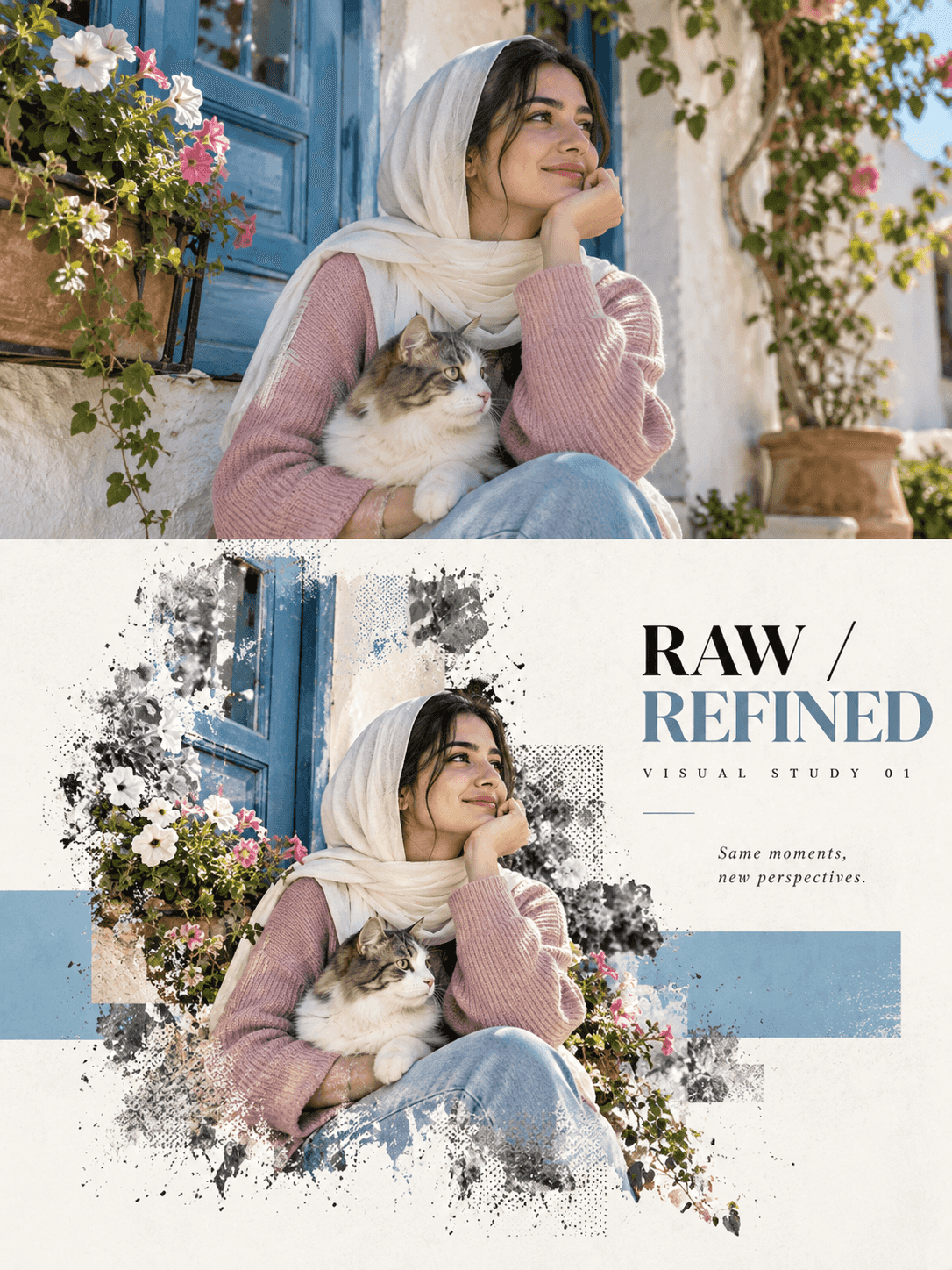
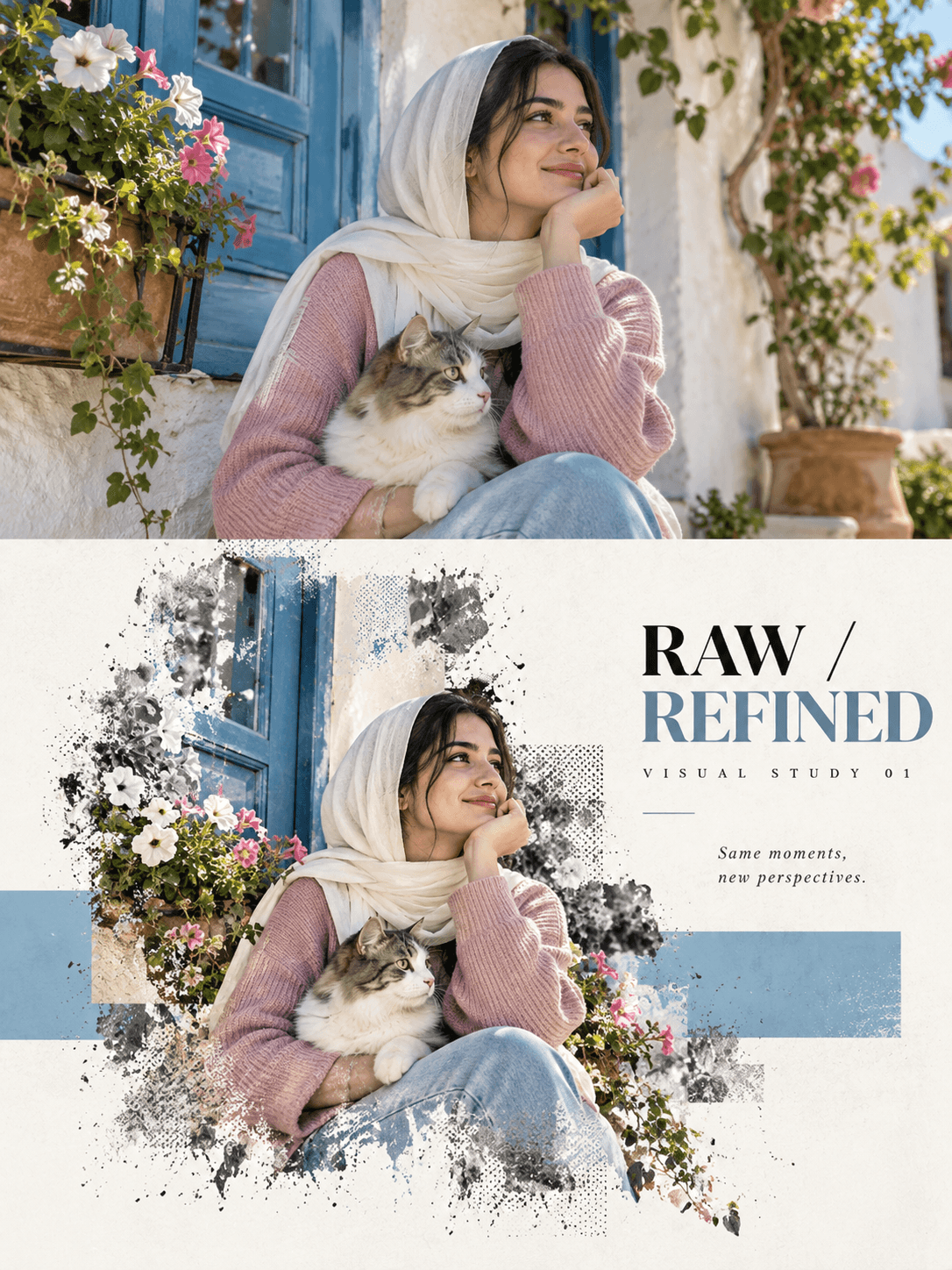
Create a photo editorial study with ChatGPT, preserving your original image above and rebuilding its key subject below with subtle textures and geometric colour.
How to use this prompt
- Open ChatGPT and upload the photograph you want to transform.
- If uploading multiple photos, state that each photo must produce a separate, independent poster.
- Paste the complete prompt template and replace the example subject details with elements actually visible in your photograph.
- Keep the aspect ratio set to 3:4 in the prompt. If the image-generation interface provides aspect-ratio controls, select 3:4 there too.
- Generate the poster and check the centre split, original-photo preservation, geometric colour field and typography.
- If the original photograph changes, try again with a stronger instruction to edit the uploaded image directly rather than generate a new subject.
Tip: Change the accent colour to muted green, or switch the geometric field from horizontal to vertical.
Known limitations
- Some image-generation workflows regenerate parts of the original photo instead of preserving every pixel.
- Exact 50/50 division and strict 3:4 output may vary by tool and generation settings.
- Small text, facial details, hands, flowers and other fine elements may change or contain errors.
- A colour described as sampled from the photo may be approximated rather than matched exactly.
Customize Parameters
Fill in the fields below to customize your prompt
Live Compiled Prompt2647 chars
Transform each uploaded photo into a separate, independent high-end editorial poster titled "RAW / REFINED."
Each uploaded photo must produce its own independent poster. Never combine multiple uploaded photos into one poster.
Canvas: strict 3:4 vertical, split horizontally at the exact center into two equal 50% sections.
UPPER HALF — ORIGINAL PHOTOGRAPH
Use the uploaded image directly; do not regenerate the original photograph. Preserve the main subject, clothing, key objects, environment, perspective, proportions, natural light, shadows, colours and textures exactly. Allow only slight cropping and restrained colour grading. No fictional details, HDR, excessive saturation or redesign.
LOWER HALF — RECONSTRUCTED VISUAL STUDY
Reconstruct the photograph's narrative core: woman and cat, blue window, flowers and greenery and its important surrounding elements. Maintain realistic appearance, proportions, textures and recognizable details.
Do not use a rectangular photo cutout. Naturally extend the composition with realistic grounding and soft, natural shadows. The main composition should occupy 55–80% of the lower-half width.
Behind and partially through the composition, add one narrow, low-saturation geometric colour field using muted blue sampled from the window. Make it horizontal, following the image's main visual direction.
The main subject and key elements must cross through the colour field and extend into the surrounding negative space, creating convincing depth. The colour field must not fully enclose the subject.
Use a cool white or near-white background in the lower half, with restrained asymmetrical composition and abundant negative space. No extra colour blocks, borders, gradients or artificial drop shadows.
VISUAL HIERARCHY
woman and cat → muted blue horizontal field → clean negative space
TYPOGRAPHY
Add minimal, elegant editorial typography:
"RAW / REFINED"
"VISUAL STUDY 01"
Add one short observational caption relevant to the image. Keep all text minimal and correctly spelled.
Overall aesthetic: luxury editorial magazine, experimental printmaking and contemporary gallery design.
No logos, watermarks, QR codes, neon, excessive effects, random symbols or fake technical readouts.
OUTPUT REQUIREMENTS
Return one finished poster per uploaded photo. Each poster must be a complete, edge-to-edge 3:4 vertical composition with no application interface, mockup frame or extra preview images.
Prioritize preserving the original photograph over decorative effects. If the image-generation tool cannot preserve the uploaded photo directly, do not claim that exact preservation is guaranteed.
Related Prompts
Discover more ChatGPT prompt templates with output previews and customizable fields.