
Romantic Anklet Couple Photo
AI prompt for ChatGPT ·
About this prompt
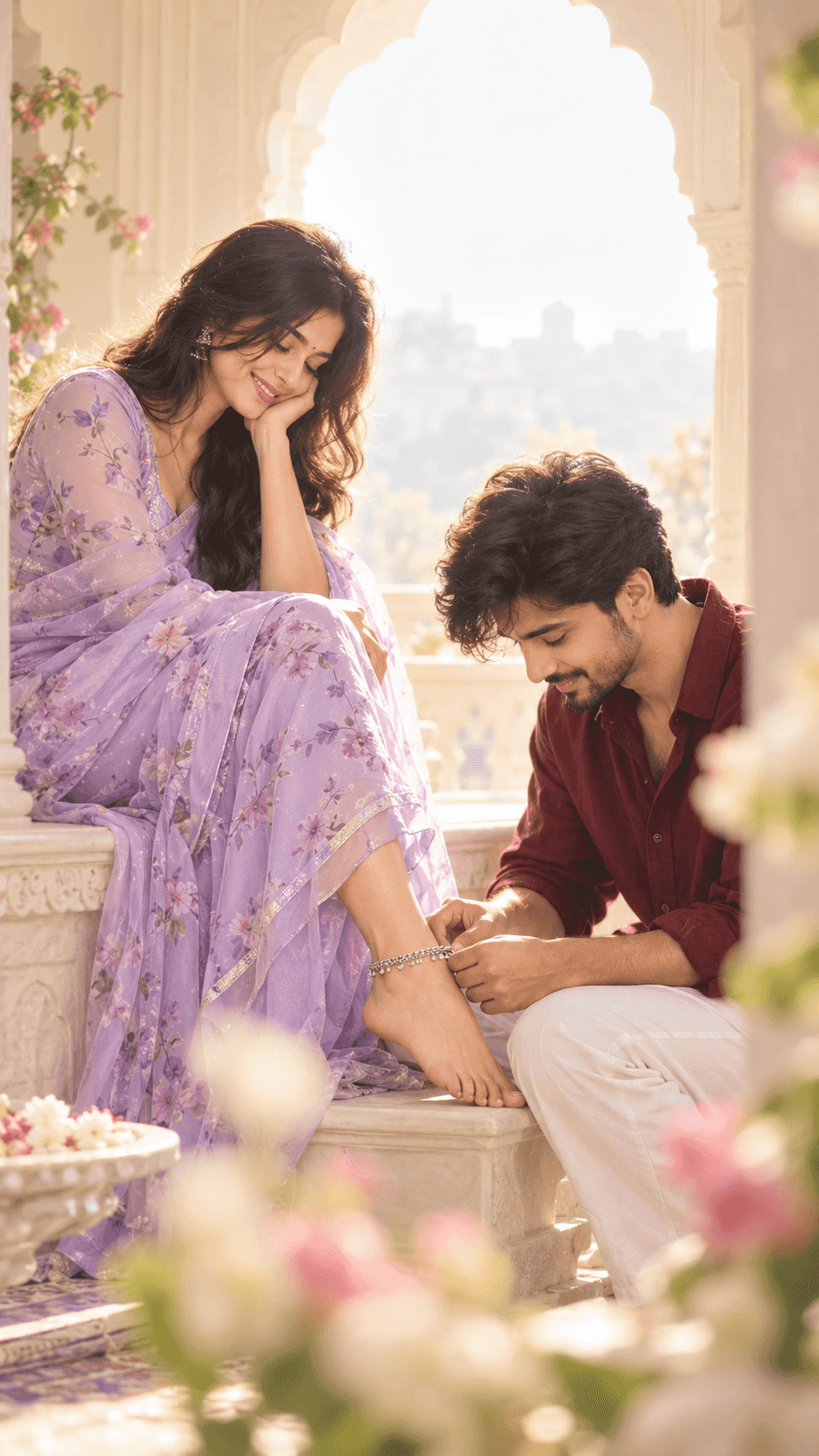
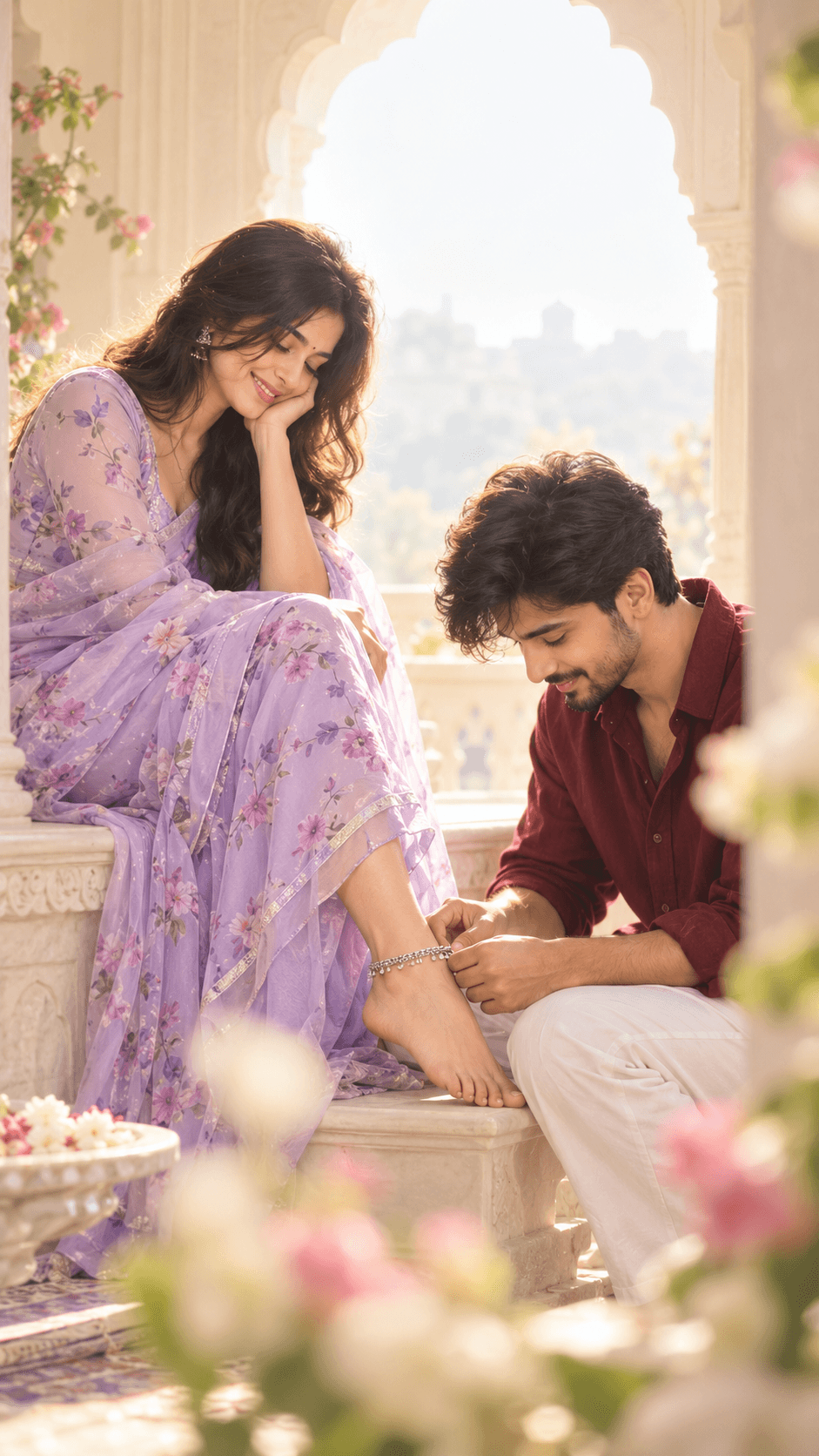
Use ChatGPT to create a dreamy couple portrait of a man fastening a silver anklet on a woman in a lavender floral saree. Change outfits and aspect ratio.
How to use this prompt
- Open ChatGPT and start a new image-generation conversation.
- Upload your reference photo if you want to guide the subjects' appearance.
- Copy the prompt template and paste it into ChatGPT.
- Choose the outfits, setting and 9:16 vertical aspect ratio.
- Generate the image and check the anklet placement, hands, clothing and soft lighting.
- NEEDS INPUT: Add one correction you actually discovered while testing this prompt.
Tip: Change the woman's saree to ivory or use a sunlit balcony setting.
Customize Parameters
Fill in the fields below to customize your prompt
Live Compiled Prompt637 chars
Aspect ratio 9:16, vertical.
Couple, man putting a silver anklet on woman's foot. Woman in lavender floral saree. Man in burgundy shirt and white pants. Bright arched window. Medium telephoto, foreground blur. Diffused backlight, heavy bloom. High-key pastel, lifted blacks. Ethereal romantic style, soft focus.
Strong diffused window backlight, soft ambient fill, high-key pastel colours, lifted shadows, hazy warm highlights, soft skin texture, realistic fabric folds, intimate relaxed posing, shallow depth of field and dreamy foreground bokeh.
Negative prompt: Harsh shadows, high contrast, sharp details, dark, clinical lighting.
Related Prompts
Discover more ChatGPT prompt templates with output previews and customizable fields.